


Cloud Gaming PC and Cloud Computing Desktop: A Guide to Virtual Desktops
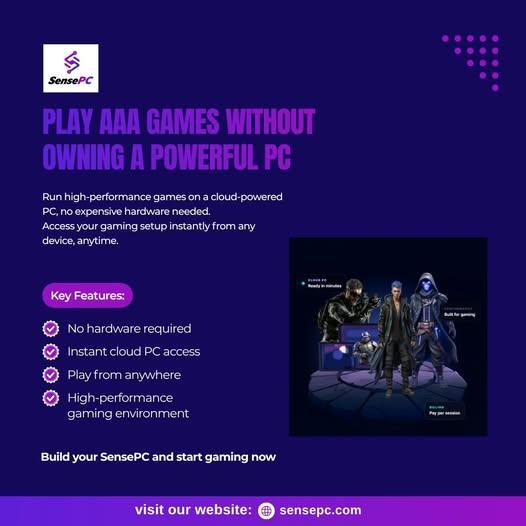
A powerful computer can make a significant difference when playing modern games, working with demanding software, or managing resource-intensive projects. However, buying and maintaining high-performance hardware is not practical for everyone. A cloud gaming PC offers an alternative by letting users access a remote computer over the internet instead of relying entirely on their local device.
Cloud computing desktops are also becoming useful for remote work, development, education, and everyday productivity. With the right configuration, a virtual desktop can provide access to computing resources without requiring users to purchase a separate physical computer for every task.
Understanding how cloud gaming PCs, cloud computing desktops, and virtual desktops work can help you decide which solution best fits your needs.
What Is a Cloud Gaming PC?
A cloud gaming PC is a computer hosted remotely that users access through an internet connection. The remote machine runs compatible games and streams the resulting audio and video to the user's device.
Rather than requiring a high-end graphics card in your local computer, a cloud gaming PC uses the remote system's hardware to process the game. Your device sends inputs such as keyboard presses and mouse movements, and the remote machine returns the updated gameplay.
Depending on the provider, a cloud gaming PC may offer:
-
GPU-equipped configurations for supported games.
-
Access to a complete Windows desktop.
-
Compatibility with selected gaming launchers.
-
Persistent storage for installed games and files.
-
Remote access from supported laptops and desktop computers.
-
Hourly, daily, or monthly billing options.
A full cloud gaming PC differs from a service that streams games from a fixed catalog. With a complete remote desktop, users may be able to install compatible launchers, access their own game accounts, and personalize the environment.
Game compatibility and performance depend on the provider, configuration, network connection, and individual title.
What Is a Cloud Computing Desktop?
A cloud computing desktop is a remotely hosted desktop environment that users can access through a supported browser or application. Instead of running all applications on a physical computer nearby, the desktop runs on cloud infrastructure.
The local device provides the interface for interacting with the remote environment, while the cloud computer supplies the main processing resources.
Cloud computing desktops can support a variety of activities, including:
-
Remote office work and productivity.
-
Software development and programming.
-
Online learning and technical projects.
-
Compatible creative applications.
-
Remote access to a consistent desktop environment.
-
Gaming when the selected configuration and software support it.
Not every cloud desktop is designed for graphics-intensive workloads. A basic configuration may be suitable for everyday applications but lack the GPU resources required for demanding PC games.
If you need both productivity and gaming capabilities, compare the available operating systems, CPU and memory options, GPU configurations, storage, and connection methods before choosing a service.
How Does a Virtual Desktop in the Cloud Work?
A virtual desktop in the cloud runs on remote computing infrastructure rather than exclusively on your local machine.
The provider allocates computing resources to the desktop, which can include a processor, memory, storage, operating system, and optional GPU. You connect to the environment using a supported access method.
The typical process involves four steps.
1. Configure the desktop. Choose an operating system and computing resources appropriate for your workload.
2. Launch the remote environment. Connect through a supported browser or desktop client.
3. Install or access your applications. Use compatible software, files, and tools within the remote desktop.
4. Manage your sessions. Depending on the service, you may be able to stop the computer, adjust resources, or select a different billing plan.
A persistent virtual desktop can retain its files and settings between sessions. This makes it useful for people who want to return to an established working environment instead of setting up a new computer each time.
The exact capabilities depend on the provider's storage policies, available configurations, and service terms.
Cloud Gaming PC vs. Cloud Computing Desktop
Although these terms are related, they describe different priorities.
| Feature | Cloud Gaming PC | Cloud Computing Desktop |
|---|---|---|
| Primary purpose | Running compatible PC games | General computing and productivity |
| Graphics requirements | Often benefits from a capable GPU | Depends on the applications being used |
| Connection priority | Low latency and responsive streaming | Stable access and consistent desktop performance |
| Software | Games and supported launchers | Productivity, development, and other compatible applications |
| Storage | Useful for retaining installed games and settings | Useful for retaining files and application environments |
| Hardware selection | Focuses on gaming performance | Depends on the specific workload |
| Billing | Subscription or usage-based options | Subscription or usage-based options |
Some providers offer cloud desktops that can serve both purposes. A sufficiently capable configuration may support gaming alongside work and other applications, provided the software is compatible.
The best option depends on whether gaming, productivity, or a combination of workloads is your main priority. gaming computer lease
What to Look for When Choosing a Cloud Gaming PC
Choosing a cloud gaming PC involves more than comparing advertised GPU specifications. Several factors determine how useful the service will be.
GPU and Overall Performance
The graphics processing unit is important for rendering modern games, but the processor, memory, storage, and software environment also affect performance.
Review the actual hardware available in each plan. Check whether the selected configuration meets the requirements of your preferred games, and avoid assuming that every game will achieve the same frame rate.
Network Quality and Latency
Cloud gaming requires your inputs to travel to a remote computer and the resulting gameplay to stream back to you. Network latency can therefore affect responsiveness.
A nearby server region, stable broadband connection, and suitable streaming method can help improve the experience. However, results also depend on network routing, congestion, the game, and the remote configuration.
For competitive gaming, consider testing the connection before committing to a long-term plan.
Game Compatibility
Some services provide a fixed catalog of games, while others provide a full desktop where you can install compatible titles.
If you want to use an existing game library, check whether the service supports your launchers and games. Anti-cheat systems, publisher restrictions, digital rights management, and virtualization policies can affect compatibility.
Persistent Storage
Persistent storage allows the remote computer to retain installed games, files, and settings between sessions.
This can save time when working with large game installations or maintaining a personalized desktop environment. Check the included storage capacity and whether storage remains chargeable when the computer is stopped.
Pricing and Resource Management
Cloud desktop providers may offer hourly, daily, or monthly plans. Choose a billing model based on how often you expect to use the computer.
If you only need extra power for occasional gaming sessions, usage-based access may be worth considering. For regular use, compare the cost of longer-term plans.
Also check whether compute time and storage are billed separately. The cheapest advertised compute price may not reflect the full cost of keeping your environment available.
Can You Use a Cloud Computing Desktop for Work and Gaming?
Yes, provided the cloud computer has the necessary resources and supports the applications you intend to use.
A Windows cloud desktop may support productivity software, compatible development tools, and PC games. A Linux desktop may suit programming, technical projects, and workloads designed for that operating system.
A GPU-equipped configuration may also be appropriate for selected graphics-intensive applications. However, not every desktop supports every workload, so users should check the operating system, available hardware, software requirements, and licensing terms.
A cloud desktop that supports several types of work can be useful if you want to maintain one remote environment rather than purchasing separate physical machines for different tasks.
How SensePC Fits Into the Cloud Desktop Ecosystem
SensePC provides a full cloud computer that users can configure and access remotely. Its platform supports cloud desktop use cases such as gaming, work, development, and learning, depending on the selected configuration.
For gaming, SensePC offers Windows 11 cloud PC options with NVIDIA L4 graphics on its Xtreme gaming tiers. Steam and Epic Games Launcher are ready on Xtreme plans, and users can sign in to their own accounts and install compatible games they own.
The platform also offers persistent SSD storage, allowing files and supported application environments to remain available between sessions. Users can connect through a browser, with Performance Mode available through the native Amazon DCV client on supported desktop systems.
For broader cloud computing needs, users can select computing resources based on their workload and adjust configurations where supported. SensePC offers hourly, daily, and monthly billing options, with separate storage charges potentially applying while a PC is stopped.
This flexibility can be useful for people who need remote computing power without purchasing additional physical hardware. Before choosing a plan, review the available resources, supported operating systems, server locations, compatibility information, and total billing costs.
You can explore the platform and available configurations on the official SensePC website.
Benefits and Limitations of Virtual Desktops in the Cloud
Cloud desktops offer several advantages, but understanding their limitations is equally important.
Benefits
Access from supported devices: Connect to your remote environment from compatible devices rather than relying on one physical computer.
Flexible computing resources: Choose a configuration suited to the workload, subject to the provider's available options.
Less local hardware dependence: The cloud computer handles the primary workload, which can reduce the need to upgrade your local device.
Consistent desktop environment: Persistent storage can preserve files, settings, and installed applications between sessions.
Usage-based options: Providers with flexible billing may let you pay according to how often you use the computer.
Limitations
Internet dependency: You need a reliable connection to access and interact with the remote desktop.
Potential latency: Streaming adds network delay, which can be especially noticeable in fast-paced games.
Provider-specific compatibility: Some games and applications may not work in a virtualized environment.
Ongoing costs: Cloud computing charges can accumulate, particularly when a desktop or its storage remains allocated.
Service limitations: Available hardware, supported devices, server regions, and features vary between providers.
Evaluating these factors can help you determine whether a cloud desktop is a practical choice for your needs.
Final Thoughts
A cloud gaming PC and a cloud computing desktop both provide access to remote computing resources, but the right solution depends on your priorities. Gaming generally places greater emphasis on GPU performance, low latency, and game compatibility, while broader desktop workloads may prioritize CPU resources, memory, storage, and application support.
A virtual desktop in the cloud can provide a flexible alternative to purchasing additional physical hardware, particularly when you need a remote computer for occasional or specialized workloads.
Compare the available configurations, test connectivity where possible, review storage and billing terms, and verify software compatibility before choosing a provider.
For users seeking a configurable cloud desktop with gaming and general computing options, SensePC is one platform worth evaluating.
About SensePC
SensePC provides cloud PC solutions designed to expand access to remote computing environments.
Website: https://sensepc.com
Email: info@sensepc.com
Media Contact: SensePC
1372 Peachtree, Atlanta, Georgia 30309, United States
Keywords: best cloud gaming, cloud computer for gaming, gaming PC in cloud, cloud gaming PC, virtual gaming PC, cloud PC for gaming, SensePC.

 English
 French
 Spanish
 Portuguese
 Deutsch
 Turkish
 Dutch
Dutch
 Italiano
 Russian
 Romaian
 Portuguese (Brazil)
 Greek
Greek