
7 Technical SEO Issues That Hurt Google Rankings
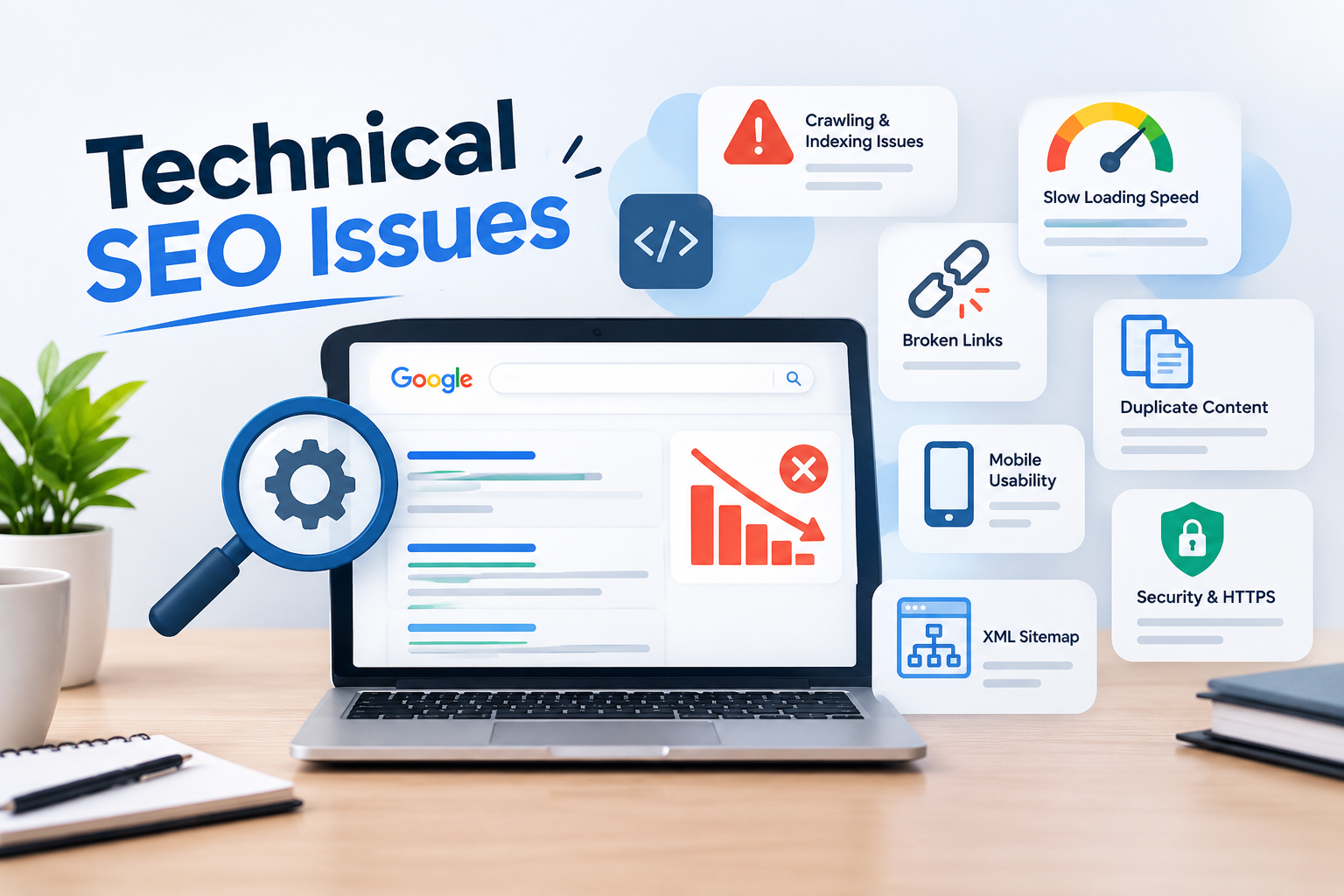
Your website may have valuable content and quality backlinks, but technical problems can still prevent it from performing well in search results. Understanding technical SEO issues is essential for maintaining a healthy website and improving organic visibility. A well-planned SEO strategy, such as the approach discussed on Muhammad Ayaad's website considers both content quality and the technical foundation that allows search engines to discover and understand web pages.
Technical SEO focuses on improving how search engines crawl, index, and access your website. Even small technical errors can create problems for important pages. Here are seven common issues you should identify and fix.
1. Poor Website Crawling and Indexing
One of the most common technical SEO issues is preventing search engines from accessing important website pages.
Google uses automated crawlers to discover and understand web pages. If your website has crawling problems, some valuable pages may not appear in search results.
Common causes include:
-
Incorrect robots.txt settings.
-
Accidental no index tags.
-
Broken internal links.
-
Server response errors.
-
Poor website structure.
How to fix it: Use Google Search Console's Page Indexing report to identify affected URLs. Check whether important pages are accessible and remove unnecessary indexing restrictions.
2. Slow Website Loading Speed
Website speed affects how visitors experience your website. People are less likely to stay on pages that take too long to load, especially when browsing on mobile devices.
Slow loading can result from oversized images, unnecessary scripts, poor hosting, and excessive plugins.
Google also uses Core Web Vitals to assess important aspects of page experience.
How to fix it: Compress images, enable browser caching, reduce unnecessary JavaScript, and choose reliable hosting. Use Google PageSpeed Insights to identify performance problems and improvement opportunities.
3. Broken Links and Incorrect Redirects
Broken links lead visitors and search engine crawlers to pages that no longer exist. These errors can create a frustrating experience and make website navigation difficult.
Incorrect redirects can also cause problems. For example, redirecting several unrelated pages to your homepage may confuse visitors and search engines.
How to fix it: Regularly crawl your website using an SEO auditing tool. Replace broken internal links, redirect permanently moved pages to relevant destinations, and avoid unnecessary redirect chains.
4. Duplicate Content and Missing Canonical Tags
Duplicate content occurs when similar or identical content appears under multiple URLs. This can happen because of URL parameters, different website versions, or incorrectly configured pages.
For example, a product page might be accessible through multiple URLs even though the content remains the same.
Canonical tags help search engines understand which URL should be treated as the preferred version.
How to fix it: Identify duplicate URLs and implement appropriate canonical tags. Maintain consistent internal links and use the preferred URL throughout your website.
5. Poor Mobile-Friendliness
Many visitors access websites through smartphones. If your website does not display properly on smaller screens, users may struggle to read content, navigate menus, or complete forms.
Google primarily uses the mobile version of website content for indexing and ranking.
How to fix it: Use responsive website design, readable font sizes, properly spaced buttons, and mobile-friendly navigation. Test important pages on different screen sizes to identify layout problems.
6. Missing or Incorrect XML Sitemap
An XML sitemap helps search engines discover important pages on your website. Without a properly maintained sitemap, search engines may have difficulty finding newly published or updated content, particularly on larger websites.
A sitemap containing broken URLs, redirected pages, or non-indexable URLs can also create unnecessary confusion.
How to fix it: Generate an updated XML sitemap containing your preferred, indexable URLs. Remove unnecessary entries and submit the sitemap through Google Search Console.
Remember that submitting a sitemap helps Google discover URLs but does not guarantee indexing.
7. Website Security and HTTPS Problems
Website security is another important part of technical SEO. Websites using HTTP instead of HTTPS may display security warnings in browsers, which can reduce visitor confidence.
Incorrect SSL configuration, mixed content, and certificate problems can also affect website security and accessibility.
How to fix it: Install a valid SSL certificate, redirect HTTP URLs to their HTTPS versions, and update internal links to use secure URLs. Regularly check that your certificate remains valid.
How to Identify and Fix Technical SEO Issues
Finding technical problems is only the first step. You also need a consistent process to monitor and resolve them.
Start with a technical website audit to identify crawling, indexing, speed, and security problems. Tools such as Google Search Console, PageSpeed Insights, and Screaming Frog can help you investigate these areas.
Businesses that need a more structured approach can explore technical SEO audit services to understand how website issues can be identified and prioritized.
Focus on fixing problems that affect important landing pages first. After implementing changes, monitor your website performance and check whether Google can access the corrected pages.
Final Thoughts
Technical SEO provides the foundation for a website's search performance. Problems involving crawling, indexing, loading speed, broken links, duplicate content, mobile usability, and security can prevent your website from reaching its full potential.
Regular technical audits help identify these issues before they become bigger problems. By keeping your website technically healthy, you can create a better experience for visitors and make it easier for search engines to understand your content.
Frequently Asked Questions
1. What are technical SEO issues?
Technical SEO issues are website problems that affect crawling, indexing, loading speed, security, or overall search engine accessibility.
2. Can technical SEO problems affect Google rankings?
Yes. Technical problems can prevent important pages from being crawled, indexed, or accessed properly, affecting their visibility in search results.
3. Which tools are best for finding technical SEO issues?
Google Search Console, Google PageSpeed Insights, Screaming Frog, and Ahrefs are useful tools for identifying different technical SEO problems.
4. How often should I perform a technical SEO audit?
Perform a detailed audit every few months and after major website updates, redesigns, or migrations. Monitor important technical reports regularly.
5. What is the difference between technical SEO and on-page SEO?
Technical SEO focuses on website performance, crawling, and indexing, while on-page SEO focuses on content, headings, keywords, and page-level optimization.

 English
 Arabic
 French
 Spanish
 Portuguese
 Deutsch
 Turkish
 Dutch
Dutch
 Italiano
 Russian
 Romaian
 Portuguese (Brazil)